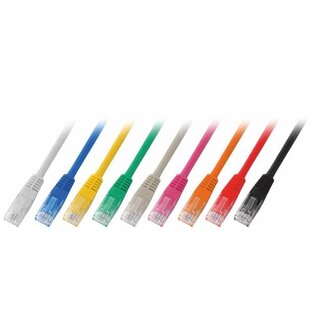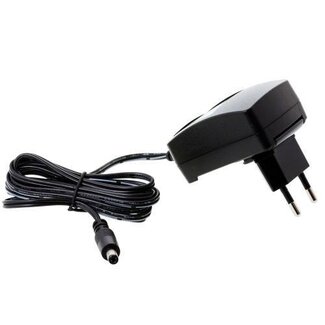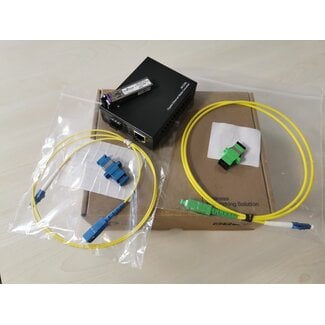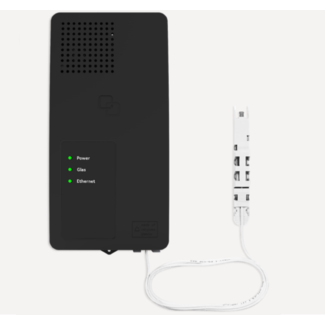

In the post: Wifi Connection in hospitality environment: business scenario’s. we proposed a market segmentation of the hospitality market based on four business quadrants. In this post we will show how to implement a WiFi Mesh cloud solution for operators active in the second quadrant: The Local Gateway.
How to set up a Cloud Mesh Wifi Networking for Hospitality.
In the post: Wifi Connection in hospitality environment: business scenario’s. we proposed a market segmentation of the hospitality market based on four business quadrants. In this post we will show how to implement a WiFi Mesh cloud solution for operators active in the first quadrant: The Cloud segment.
Best Datacenter practice also fits SMB channel
‘lights out server room’ is a term normally used in a datacenter surrounding. However, it is also relevant outside this environment. Read why this concept can successfully be applied in the ICT channel working with SMB.
IP PDU: the base of a remote management system.
One of the most critical problem of any IT resellers and System Integrators is the cost and the repair time of their technical support team (Fig 1).
Fig 1. Average Cost and Time to Resolution for the post sales service of an IT Reseller.
There are several technologies that can help the ICT channel to manage this big challenge. The basic tool is the IP PDU.
The basic role of an IP PDU.
PDU means Power Distribution Unit. So, the basic task of a PDU is to bring electricity to the IT appliances. In Fig 2. you can see a PDU with 8 power outlets.

Fig 2. A IP PDU with 8 power outlets.
An IP PDU can be managed through an IP networking (typically through Internet in a secure way). So, through a remote PC (or other IP Mobile Client), it is possible to turn on and off the electricity of each outlet.
This is already a powerful tool to avoid to physically send a technical person to do the job. In many cases (when the operating system of the appliance is “frozen’) you just don’t have other choice anyway.
Just avoiding sending one of your technicians on the road one time already makes the investment of the IP PDU worthwhile!
IP PDU as a monitoring tool.
Since the PDU can be part of the IP Networking structure it becomes natural to use it also as a tool to monitor the power consumption of the ICT infrastructure (monitoring the cost of energy is and will be even more in future a key financial parameter).
Also other monitor functions can be included in the IP PDU (Fig 3).
Fig 3 - IP PDU a monitor system.
Nowadays, it is not rare that the IP PDU monitors the humidity and the smog condition of the environment where it is placed. It can also monitor the opening of doors (of the rack, of the room, etc.) and movement in the obscurity. This is possible through affordable analogic sensors (Fig 4) that are connected to the IP PDU through RJ45 cable.
Fig 4 – Analogic Sensor price lists for IP PDU.
Valadis is offering to their partners the solutions of PDU EXPERT. In particular the KWX-N3 model should be your first brick to build your solution for remote technical assistance.
________________________________________________
To know more:
Best Datacenter practice also fits SMB channel
Wifi Connection in hospitality environment: business scenario’s.
Are you an IT reseller or an ISP and are you considering to enter in the infrastructure business for hospitality? Or are you already established in this business but you want to expand your services?
In both cases you are obliged to offer a WIFI connection to your customers.
In this post we propose a segmentation of your market based on 4 business scenario’s. In future posts, we will analyze the best technological solution that Valadis can offer to you in each specific segment.

NAS High Availability solution for SMB
NAS is a very interesting solution for the ICT channel working with the SMB Sector. Recently, vendor like Thecus have brough to such a market High availability solutions that were prerogatives only of enterprise solutions.
Let’s see more closely how to implement this solution.

Already three years ago experts in virtualization techniques saw the possibility to bring Storage High Availability at SMB level.
Most of the ‘ingredients’ are already there:
- Virtualized environment for the servers
- iSCSI network
In order to avoid the cost of a SAN, it was anyway necessary to use a complex (and quite expensive) software. This limitation is now removed.
With less than 4000 euro (end user price list) is now possible to buy a NAS Solution that can manage, at hardware level, a replication process with an identical NAS.
Fig 1 – High Availability with Thecus NAS.
These are the reasons that would the Standby NAS to kick in:
1) Active NAS off/dead
2) Active NAS heartbeat (LAN3) not available
3) Active NAS LAN1/2 not available
4) RAID on active NAS not available
From fig 1. it’s also quite clear that this High availability solution can work in just a physical server environment but it is commercially clear the importance of this solution in a virtualized environment, especially to reach Disaster Recovery policy with a “SMB’ budget.
As a channel operator, does this solutions interest you?
NAS for Microsoft cluster – opportunity for the SMB Market
Vendor like Thecus have brought on the market High Availability NAS. This is an ideal solution for virtualized environment.
However, there are are still a lot of SMB companies that use an hardware only solution for their Microsoft cluster.
A failover cluster usually includes a storage unit that is physically connected to all the servers in the cluster, although any given volume in the storage is only accessed by one server at a time (fig 1).
Fig 1 – Failover cluster with two nodes connected to a storage unit
We have a good news for the channel. All the Thecus NAS with Firmware 5.xx are certified for this solution.
Good sales.
Betaalbare hardware High Availability voor MKB
Met de N16000 en N12000 heeft Thecus hardwarematige High Availability betaalbaar gemaakt voor het MKB-segment. Met de koppeling van twee Thecus N16000 of N12000 NASsen is namelijk de continuïteit van de diensten verzekerd. De ideale oplossing om bijvoorbeeld voor een redelijke prijs disaster recovery te realiseren binnen een virtualisatie omgeving.
IP Video System Design Tool: a good help for an inside sales of the B2B channel?
IP Security Technology is entering in the standard offer of the B2B ICT Channel.
As a consequence, the inside sales of a distributor must help an increasing number of IT resellers to find the right solution. Among these resellers there are traditional analogue CCTV dealers that need support for building the IP infrastructure and networking dealers that need support in the Camera technology. To help these dealers, an inside sales needs to use some tools to manage the most importants CCTV concepts and some basic IP measures.
In this post I introduce the IP Video System Design Tool.
The basic questions for the end user
This tool helps the inside sales to ask the correct basic questions to identify the right IP Camera and NVR.
Let’s select the Expert Mode and we will work on the tab Camera Installation Drawing (fig 1).
The first question is regarding the Field of View (FOV). The FOV is the area size that the camera must cover. You have to specify the Height of the object, the Width of the object and (eventually) the eight of the object from the ground.
For example, let’s suppose that the end user wants to tape only the face (not the body) of a person of min. 1,5 and max 2 meters height and that is entering a door of 1 meter width.
We will introduce these measures for the FOV.
Height: 2 meters
With: 1 meter
Height of Lower: 1,6
Now we have to ask the max distance of the target (in the example the face of the person) from the camera. Let’s suppose that the end user can place the camera quite close to the door (ex. 2 meter).

fig 1 – jvsg Camera Installation Drawing tab
It’ s time to ask how high the camera can be placed. In this example the end user wants to recognize the face of a person of max 2 meters that is entering in the door. So, the camera should not be higher than 2 meter (if you place the camera too high and the person wears a cap, you will not get the visage). Let’s suppose that we can place the camera at 1,8 M.
The selection of the IP Camera
We have now all the necessary elements to select the correct IP Camera to propose. Of course, it would be very useful to know the budget of the end user in order to narrow the selection of possible candidates.
A resolution of 640×480 (VGA) is sufficient for facial recognition. Of course higher is the definition, more details of the face of the person you have (in our example we will work with a High Definition format) .
You need now to introduce the Sensor Format. [download id="9"] is ¼.
We use the tool to determine the focal length of the camera we need for our purpose. Try different value and see in the camera 3D view the different image you obtain. The color you see in the camera installation draw is also very useful; red color means that the target can be identified. We can see (fig 2) that we need a camera with a focal length of 3 mm.

fig 2 – select the right Ip Camera
The inside sales has now all the necessary elements to make an offer for the correct IP CAMERA.
There are some elements that the tool cannot suggest but still an inside sales should advise the end user to consider. One of this is the lighting (for example: the camera should be working during the night or not? When the door opens, it would be too much light on the back of the target? If yes, we should compensate with inside light and with a camera with a good WDR: Wide Dynamic Range ). Other options of the camera (like Backlight Compensation ) are less effective.
Fortunately, no tool can replace a good training from the Product Manager (for me the most important function in the organization of a Distributor).
Storage and Networking needs.
The inside sales might be asked to give support regarding the necessary storage space in the NVR and the networking band that should be assured. This tool allows to make the necessary questions and give the appropriate answers.
Let’s select the Network Band with & Disk Space.
We introduce the wished resolution (in our example High Definition), The compression (check the datasheet of the camera to see if it can assure that) – in our example H.264 – and the time that the camera will be in used (in the example we suppose that it will be in used during the working time).

fig 3 – Networking and Storage Calculation
We can use a standard FPS (frames per seconds) of 10
You can see that already with one camera we need more than 3GB of space. To reduce this (expensive) storage space (and also networking band with), we could use a camera that support Intelligent Video Analysis (for example the camera transmits images only when the door is open). An alternative would be to use the Intelligent Video Analysis in the NVR (so the NVR would register the image of the camera only when the door is open). This alternative would not save of course band with Network.
Anyway, the inside sales has now the necessary information to make an offer for the correct NVR (and eventually for the networking switch).
Do you think that the IP Video System Design Tool can help an inside sales of the B2B ICT channel?
Valadis tekent Minicom op
Het in Israel gevestigde Minicom Advanced Systems is een belangrijke producent van KVM over CAT5 switches, KVM over IP switches en server management systemen. Ze staan alom bekend om hun innovatieve technologie. Zo waren ze bijvoorbeeld de eersten ter wereld die de CAT5 technologie introduceerden binnen het KVM-segment.
Met Minicom voegen we dus een gerenommeerd merk toe aan ons portfolio en we zijn blij dat ze voor ons kozen om de Benelux verder te ontsluiten.
Naast KVM Switches biedt Minicom’s ook het unieke open AccessIT platform. Hiermee is het mogelijk om met een enkele sessie eenvoudig alle IT hardware, inclusief servers, console servers, PDUs en netwerkapparatuur te managen. Zo voorkomt men vendor-lock-in, kan men blijven kiezen uit een breed scala aan merken en zijn al gemaakte en aankomende investeringen toekomstbestendig.